
Indicators / CK AMD Session Map
NinjaTrader® 8 indicator
CK AMD Session Map
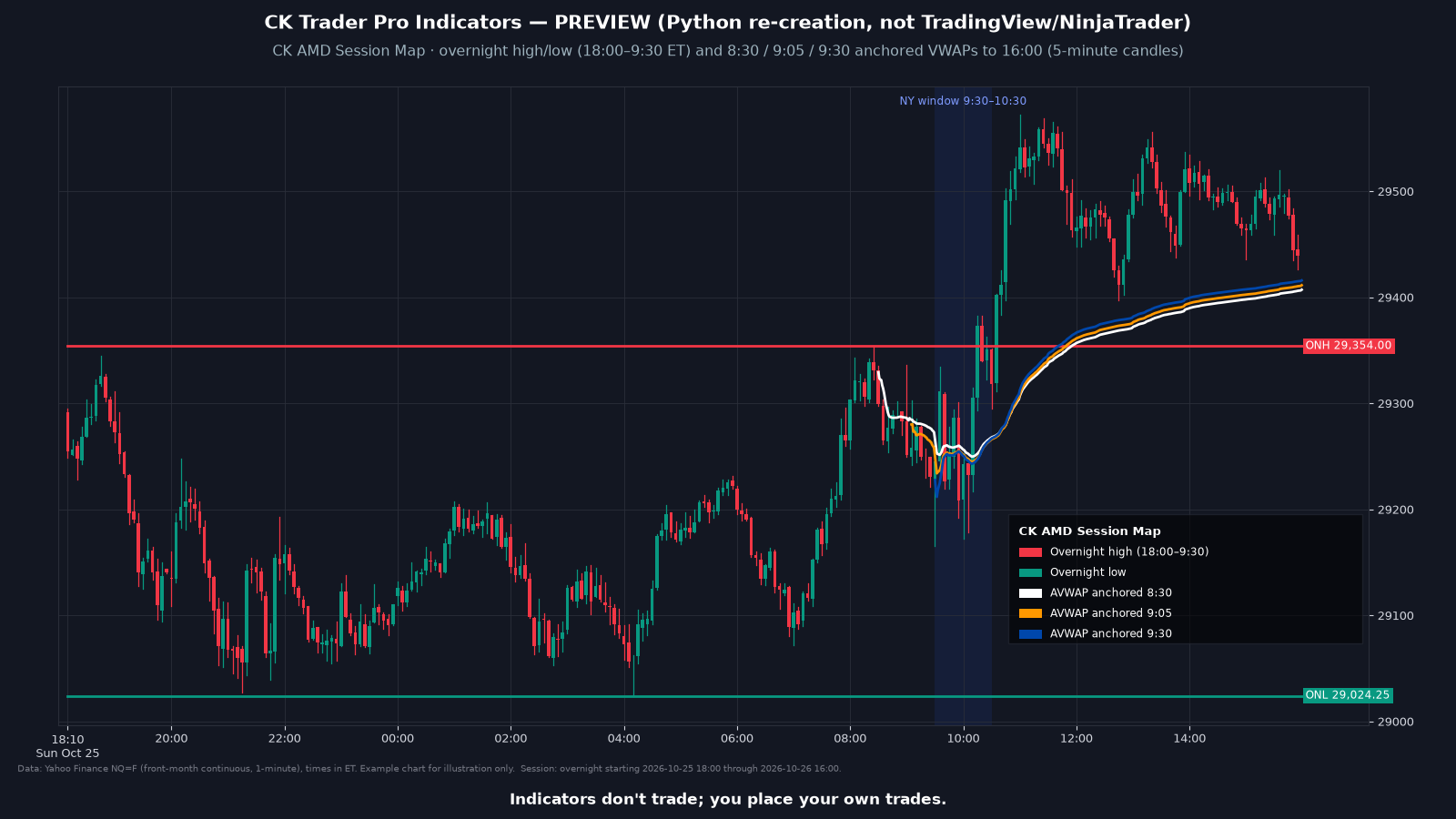
Draws the overnight high and low and three anchored VWAPs (8:30, 9:05 and 9:30 ET), with the 9:30 to 10:30 window shaded for context. It draws on your chart. It never places orders.
These indicators never place orders. The trader always has the last say.
What it draws
- Overnight high and low (18:00 to 9:30 ET) drawn across the day
- Volume-weighted average price anchored at 8:30, 9:05 and 9:30 ET, running to 16:00 ET
- Shaded 9:30 to 10:30 ET window
- Colors and anchor times are adjustable
Settings
- Colors and anchor times are adjustable.
- The approved description anchors volume-weighted average price at 8:30, 9:05 and 9:30 ET.
- The overnight high and low use 18:00 to 9:30 ET.
Install
- Use the download link in your email. Don't unzip the file.
- In NinjaTrader 8: Tools, Import, NinjaScript Add-On.
- Select the .zip and finish the import.
- Add the indicator to a chart and sign in to NinjaTrader with the account email the license will use.
FAQ
Do the indicators place trades?
No. These indicators never place orders. The trader always has the last say.
Which platform does this work with?
NinjaTrader 8 on Windows. It does not work with NinjaTrader 7. You need your own NinjaTrader account, brokerage connection and market data.
Requirements
| Platform | NinjaTrader® 8 (8.1.5.0 or later for account-email licensing) |
| Operating system | Windows, as required by NinjaTrader 8 |
| License | One license per person, tied to your NinjaTrader® account email. Lifetime or Monthly. See the Indicator License Agreement. |
| Data | Market data is not included. You need your own market data feed that works with NinjaTrader. |
| Delivery | Your download link is emailed to you within 2 business days of purchase, and your license is added to the NinjaTrader® account email you entered at checkout. |
Indicators don't trade; you place your own trades.
This is a charting and educational tool. It does not trade for you and is not trading advice. Every customer gets the same indicator; it is not personalized and does not know your account, goals or risk.