
CK Noise Band
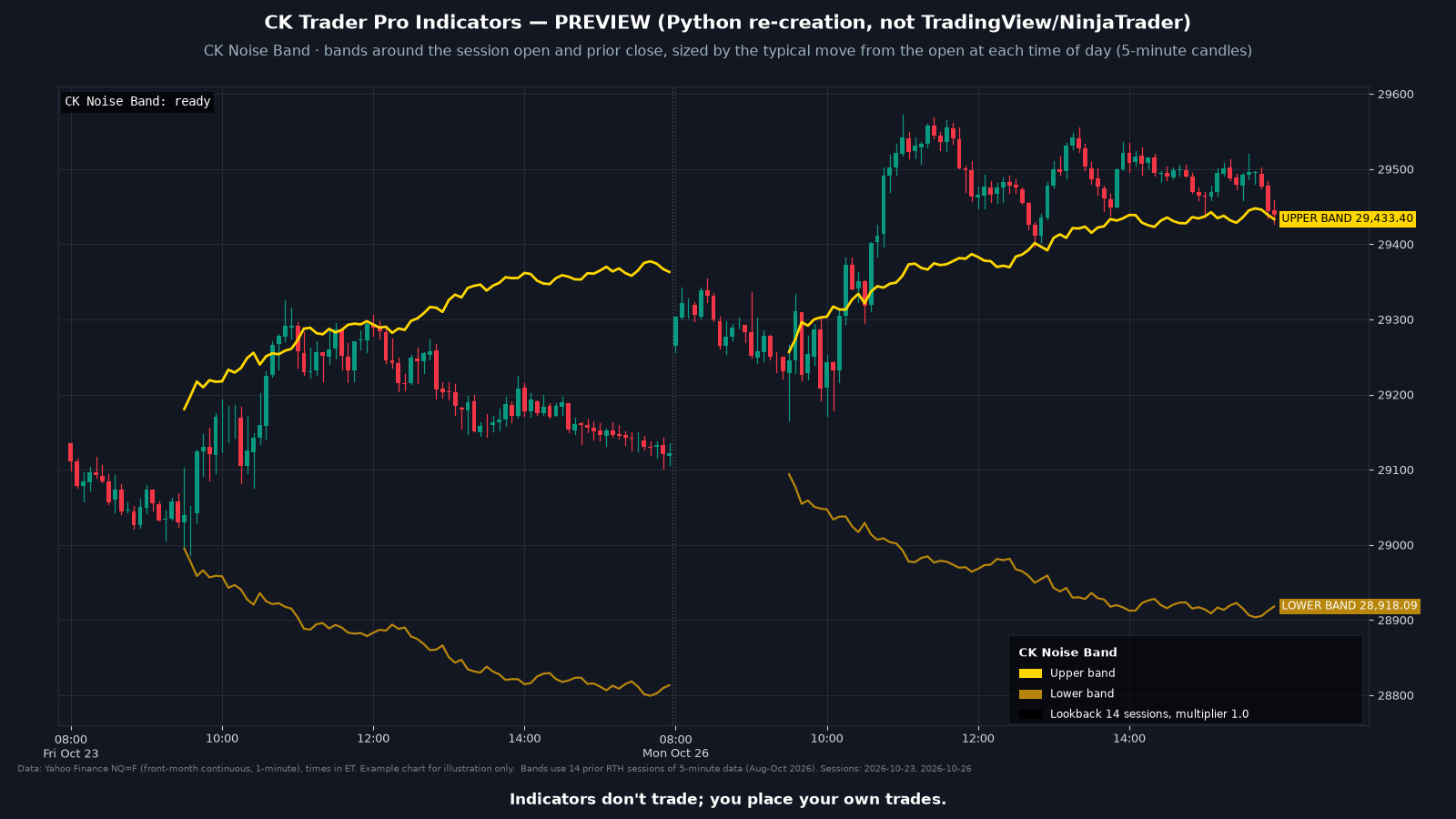
Draws two bands on your chart. For each time of day in the regular session (9:30 AM to 4:00 PM ET), it averages the percentage move from that day's open over the last 14 sessions. The upper band sits above the higher of today's open and the prior close, and the lower band below the lower of the two, each offset by that typical move. Indicators display information only and never place orders.
The bands are based on the "noise area" concept described by Carlo Zarattini, Andrew Aziz and Andrea Barbon (2024). This indicator is an independent implementation. It draws only the bands and does not include the paper's trading strategy or reported results. It is not affiliated with or endorsed by the authors.
These indicators never place orders. The trader always has the last say.
What it draws
- An upper band above the higher of today's open and the prior close, and a lower band below the lower of the two. The distance changes with the time of day and with the typical move over your lookback.
- Bands start once enough prior sessions are loaded for that time of day. A small status line says "ready" or "warming up". Colors are adjustable.
Settings
- Lookback in sessions (default 14), band multiplier (default 1.0), show or hide the lower band, show or hide the status text. Colors are adjustable. Session times are Eastern time whatever your chart's time zone.
Install
- Use the download link in your email. Don't unzip the file.
- In NinjaTrader 8: Tools, Import, NinjaScript Add-On.
- Select the .zip and finish the import.
- Add the indicator to a chart and sign in to NinjaTrader with the account email the license will use.
FAQ
Do the indicators place trades?
No. These indicators never place orders. The trader always has the last say.
Which platform does this work with?
NinjaTrader 8 on Windows. It does not work with NinjaTrader 7. You need your own NinjaTrader account, brokerage connection and market data.
Why are there no bands yet?
Each time of day needs your lookback of prior regular sessions (14 by default) on the chart. Load more intraday history if the status text says "warming up". Use a Minute or Second chart.
Requirements
| Platform | NinjaTrader® 8 (8.1.5.0 or later for account-email licensing) |
| Operating system | Windows, as required by NinjaTrader 8 |
| License | One license per person, tied to your NinjaTrader® account email. Lifetime or Monthly. See the Indicator License Agreement. |
| Data | Market data is not included. You need your own market data feed that works with NinjaTrader. |
| Delivery | Your download link is emailed to you within 2 business days of purchase, and your license is added to the NinjaTrader® account email you entered at checkout. |
Indicators don't trade; you place your own trades.
This is a charting and educational tool. It does not trade for you and is not trading advice. Every customer gets the same indicator; it is not personalized and does not know your account, goals or risk.